
How to Remove People or Objects in the Background of a Photo
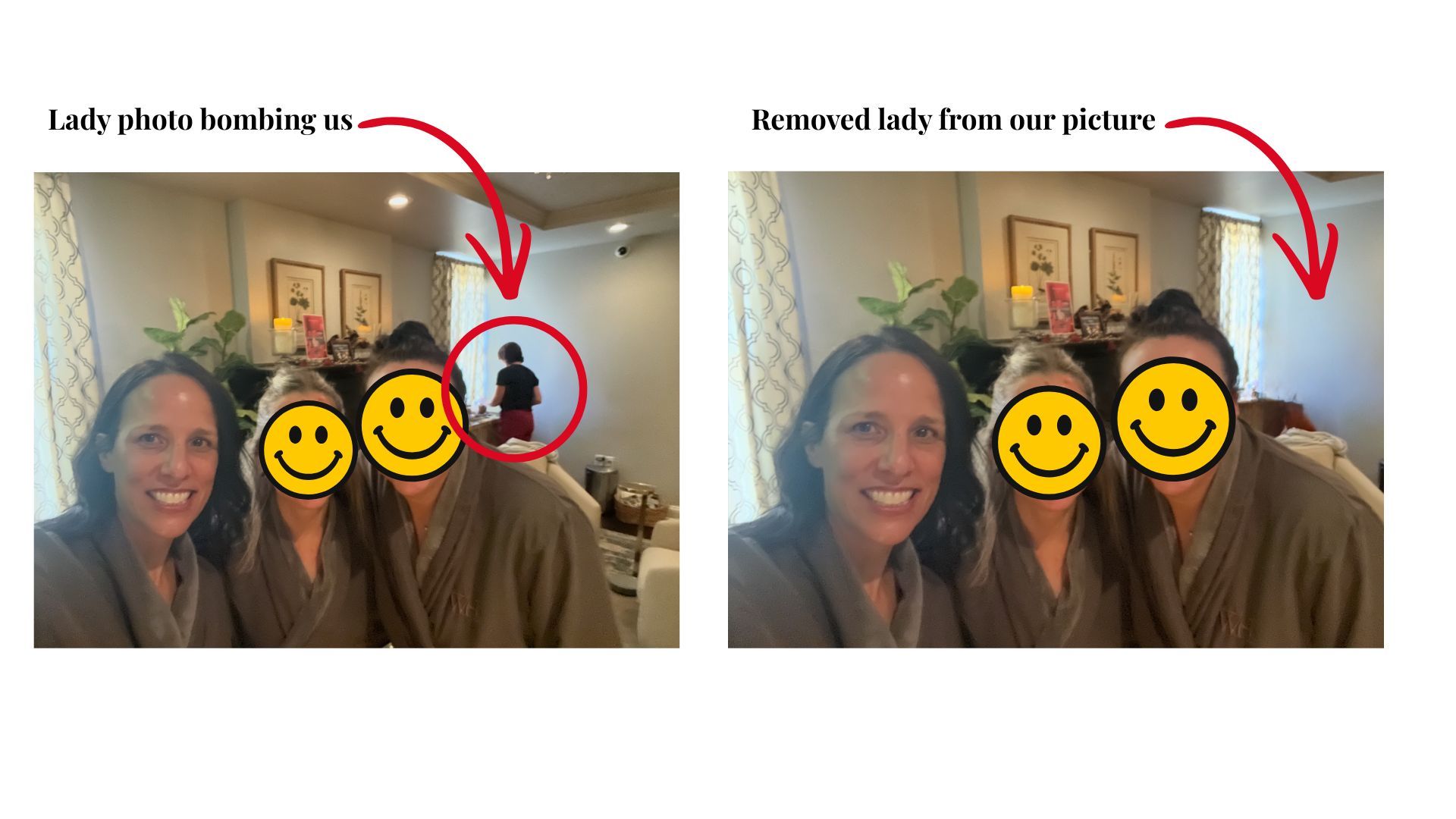
Mar 02, 2026If you have an iPhone 15 Pro/Max or newer, there is an incredible new tool that allows you to remove a person or object from the background of a photo. Check out this picture of my friends and I getting facials on Valentine's Day. Do you see the lady photo bombing us in the picture on the left? Ok, to be fair she had no idea I was taking the photo. But I can easily remove her by following just a few simple steps… it’s like magic!
Simple Steps to Remove People or Object from the Background:
-
Open the Photos app from your phone
-
Find and open your picture
-
Click the editing icon at the bottom (3 horizontal lines)
-
Click “Clean Up”
-
Tap, brush or circle the people or objects you want to remove
-
Click “Done” in the top right corner to save your edits
I hope you enjoy this new tool as much as I do, and have fun diving into your favorite photos to clear out all those background distractions!
